
FrontRx
User Guide — Prescriptions and the prescription assistant
Document generated on September 28, 2026
Prescriptions and the prescription assistant
FrontRx lets you write a prescription, generate a PDF, and fax it to a pharmacy without leaving your workflow. Prescriptions open in the FrontRx prescription tool, where you search medications, set dosage and refills, review drug interaction warnings, and send the result by fax.
The prescription tool also includes an assistant that can draft medications from text you paste (for example a clinical note or a pharmacy renewal request), so you can review and confirm rather than type everything by hand.
Steps
- Open a patient and select New Prescription. The patient is pre-selected; you can also search for a patient by name or RAMQ number.
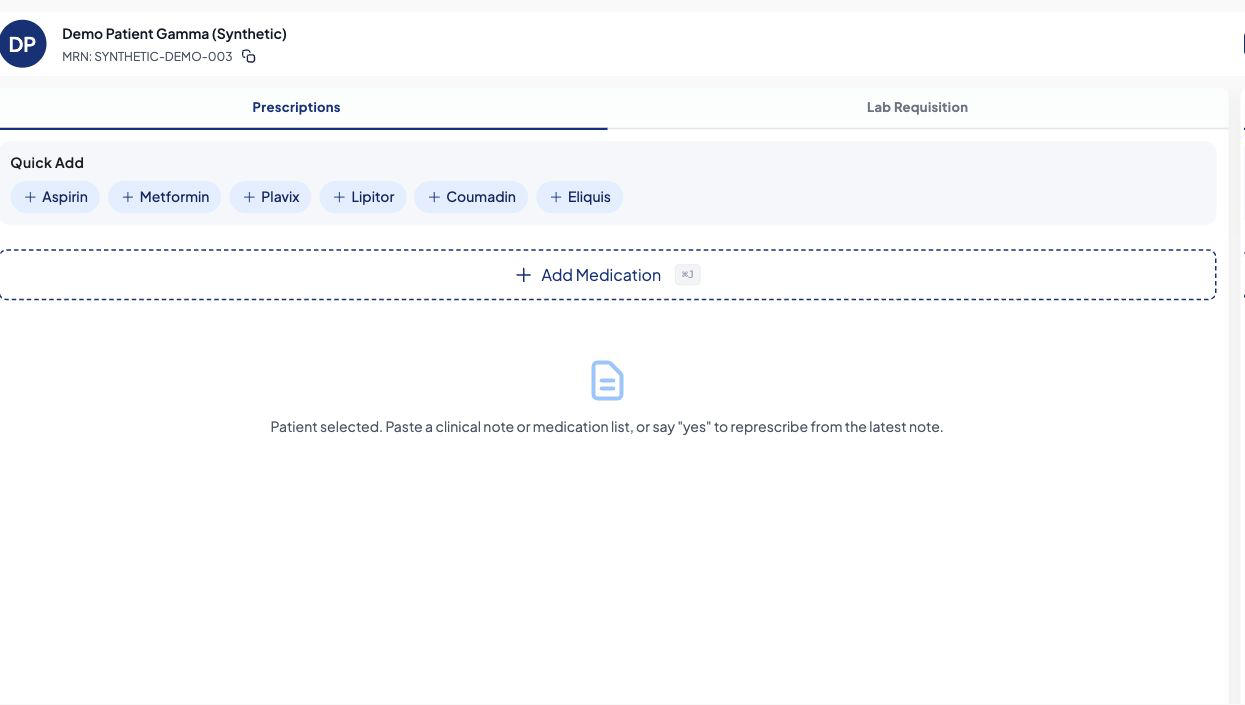
Open the prescription workspace from the selected patient. Review every assistant suggestion before use. - Select Add medication and search for the drug by name.
- For each medication, set the dosage, route, and frequency; adjust refills and quantity, and add comments if needed.
- Review any drug interaction warnings shown on the medication, and uncheck or mark as stop any medications you do not want on this prescription.
- Select Generate prescription to create the PDF. Then download it or send it by fax to a pharmacy.
Send a prescription by fax
- After generating the PDF, select Send fax to pharmacy.
- Search for the pharmacy by name or address; the fax number is filled in automatically. Confirm or edit it.
- Select Send. The fax status is tracked, and you can resend if it fails.
Use the prescription assistant
- In the prescription tool, paste a clinical note or a pharmacy renewal request into the assistant.
- Ask the assistant to extract the medications. It proposes drugs, and where available dosages and frequencies, in the medication list.
- Review every proposed medication, correct or remove any item, add anything missing, then generate the prescription as usual.
A digital signature on your account is required to write prescriptions; it is embedded in the PDF.
You are responsible for the clinical accuracy of every medication, dose, route, and interaction decision. The assistant only drafts; it does not validate care.
RAMQ exception codes can be added per medication when applicable (Quebec).

Contact Us
Fill up the form and our team will get back to you within 24 hours


Your information is protected.
Made in Québec, Canada with ❤️
Various trademarks held by their respective owners.
Copyright 2025-2026. All rights reserved.
