
FrontRx
User Guide — Subscription and plan
Document generated on September 28, 2026
Subscription and plan
Your subscription controls access to paid features and is separate from RAMQ billing. Manage it in Settings under Subscription, or on the Subscriptions page.
Steps
- Open Settings and the Subscription tab to see your current plan, renewal date, and payment method.
- Select Upgrade to paid plan and choose a monthly or yearly plan.
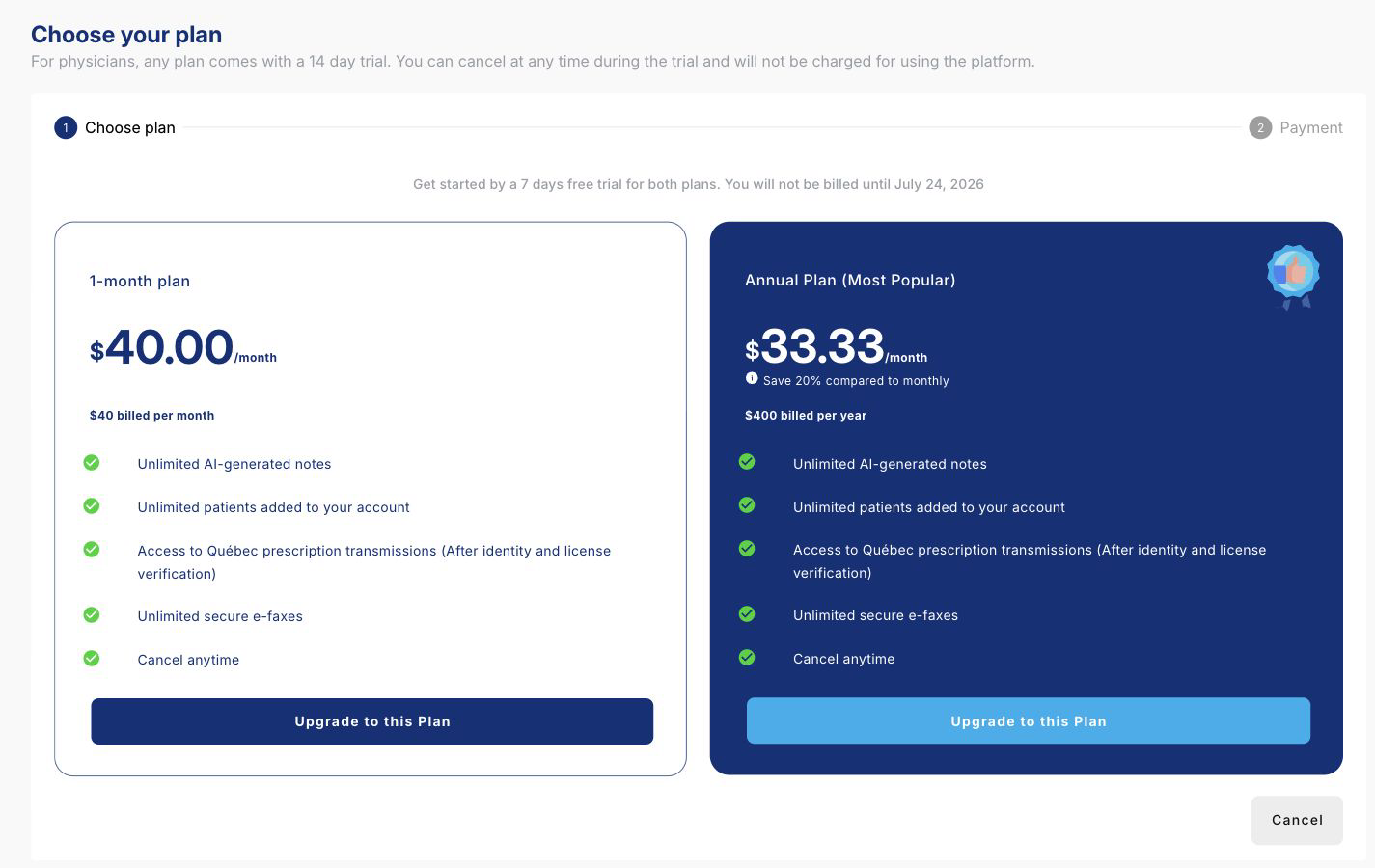
Compare the current monthly and annual plan choices. Subscription billing is separate from RAMQ billing. - Cancel an active paid plan from the same screen; it stays active until the end of the billing period.
A free trial shows the days remaining. If your workplace provides a paid plan, your account is covered until the workplace plan expires.

Contact Us
Fill up the form and our team will get back to you within 24 hours


Your information is protected.
Made in Québec, Canada with ❤️
Various trademarks held by their respective owners.
Copyright 2025-2026. All rights reserved.
